Home Automation SITREP - Building a Local-First Setup with Home Assistant
Published: 16 May 2026 | 7 min read
TL;DR: I’m running Home Assistant OS on a Raspberry Pi 5 with a SONOFF Zigbee dongle. This setup manages smart lighting, automated blinds, and local energy/water monitoring with a focus on reliability and offline (local-first) control.
This is the first entry in a series documenting my home automation journey. After years of iterating, I’ve settled on one core principle: It MUST just work. I don’t want technical debt or weekend-long troubleshooting sessions. I want a setup that is reliable, isn't reliant on the cloud and survives an internet outage.
Here is the hardware and software currently keeping my house running.
Stack Snapshot
The current stack is:
Category
Component
Core
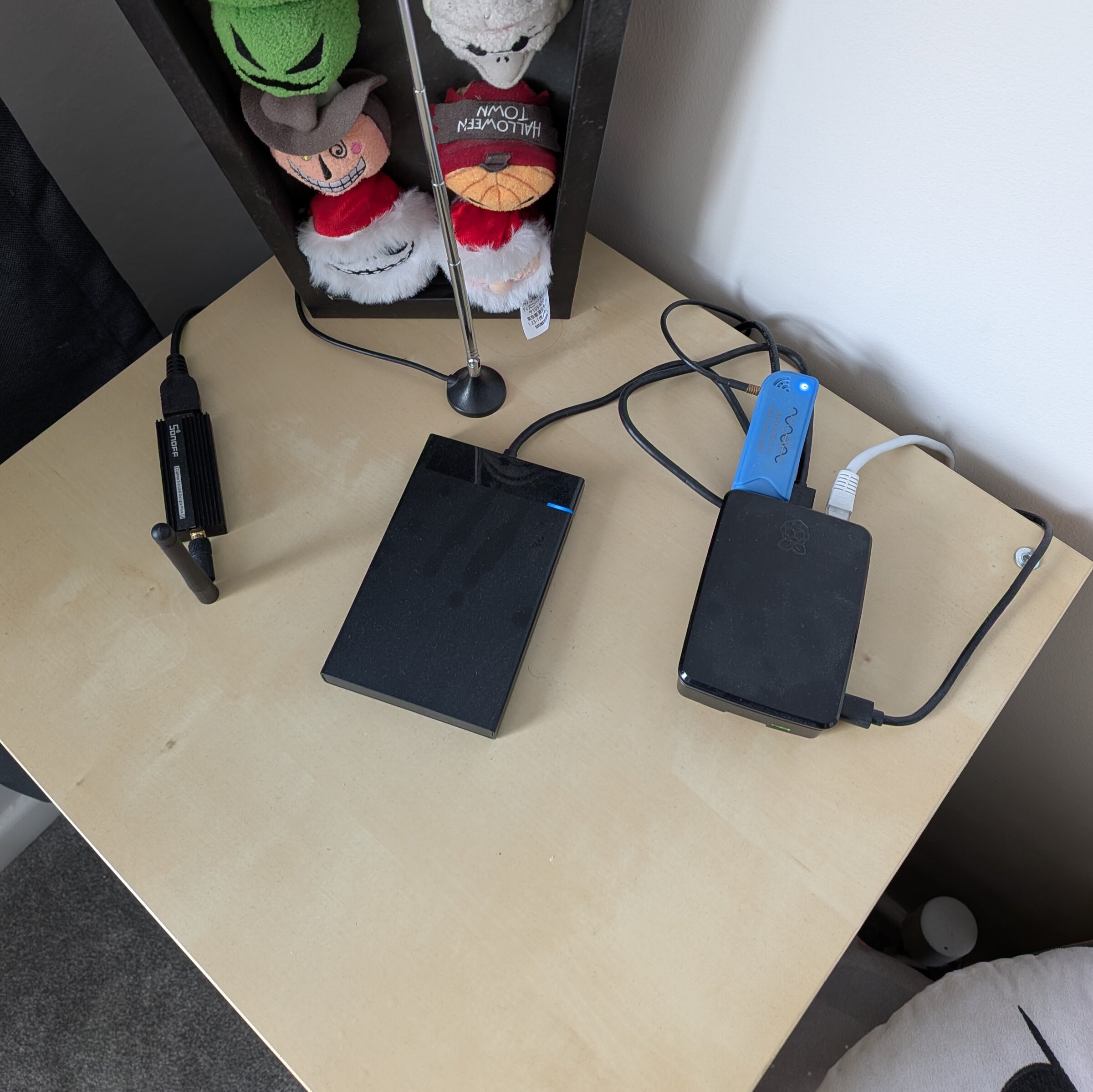
Raspberry Pi 5 (8GB) with 120 GB SSD
Connectivity
SONOFF Universal Zigbee 3.0 USB Dongle
Radio/SDR
Nooelec NESDR Mini 2 USB RTL-SDR
Energy & Water
Hildebrand Glow IHD, Sappel Water Meter
Climate
Tado V3 TRVs & Bridge
Smart Plugs
SONOFF S60ZBTPG Zigbee Plugs
Bling
Pi 5 case with an active fan (Ooooooh)
Top-down view of the setupCurrently being hidden behind a plant pot
Home Assistant OS
I’m perfectly comfortable building and maintaining services, but I didn't want this hobby turning into a second job. That’s why I went with Home Assistant OS, it completely cuts out the usual dependency and update headaches. It’s been rock-solid for over two years, incredibly low-maintenance, and fits my "just works" model.
I can control home assistant via the web interface, or through the mobile app. Both are well-designed and easy to configure. The web interface is great for setting up automations and managing devices, while the mobile app is perfect for quick control and receiving notifications.
Zigbee
Choosing a protocol often feels like a turf war between Zigbee, Z-Wave, and Thread. I would like to say I landed on Zigbee because of the range of compatible devices, but in reality the SONOFF Zigbee range was the deciding factor. It is affordable, reliable, and has suited my needs really well.
Home Assistant has a great integration, ZHA (Zigbee Home Automation), which has handled setup and management of the Zigbee network. You can get set up in just a few clicks, and it requires minimal configuration. Adding devices is straightforward, and the interface kinda is intuitive.
Smart Plugs
I mostly use these for controlling my lamps. Home Assistant has a great "sun" integration that automatically tracks sunrise and sunset times every day. I set my lamps to turn on right at sunset and shut off at a fixed time, though i can always override them manually.
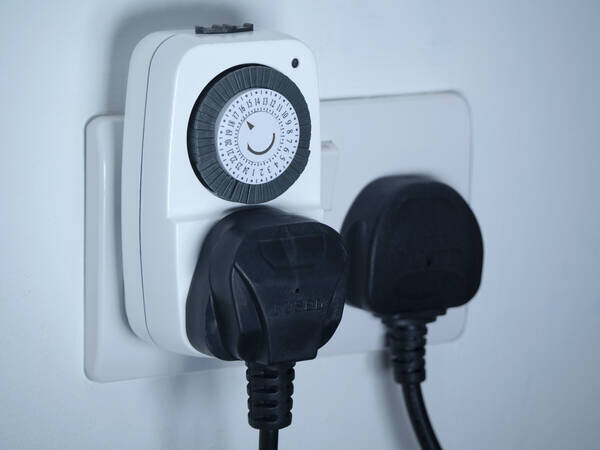
Pass through plug in timers
Gone are the days of having to set the monolithic dialled timer plugs when going on holiday.
Recommendation: I previously used Wi-Fi based Aldi (Tuya) plugs. They required a constant cloud connection via the Tuya APIs. They were slow to respond, and if the internet went out, they were completely unusable. Switching to Zigbee allowed for local device control. Plus, there is something oddly satisfying about hearing the physical relay "click" milliseconds after you toggle the switch in Home Assistant .
Blind
I have a Bluetooth-controlled blind from Blinds 2 Go. This uses a HACS integration that can be found at Tuiss2HA on GitHub. Shout out to the maintainer, they're super responsive and constantly improving the integration.
The blind was quite expensive, so it is not something I have rolled out throughout the house but I have automated them in the same way as the smart plugs using the sun rise / sunset times to open and close the blind.
The only real issue I have run into with this device is BLE range. I moved my setup closer to the landing to ensure it can reliably control the blind. Another option I did not explore was using an external Bluetooth antenna to improve range, but moving the setup was the simpler solution for now. I might look into this if I add more blinds in the future.
Energy Monitoring
Most households in the UK now have a SMETS1 or SMETS2 smart meters, combined with some sort of In-Home Display (IHD) that connects to the meter and shows current energy usage. These are great for giving consumers a real-time view of their consumption, but are often limited beyond that scope. Mine at the time was not CAD-enabled, meaning I could not pull data from it.
My first iteration was a puck.js, a light-resistant diode and a lot of duct tape which I'll save for a future blog post.
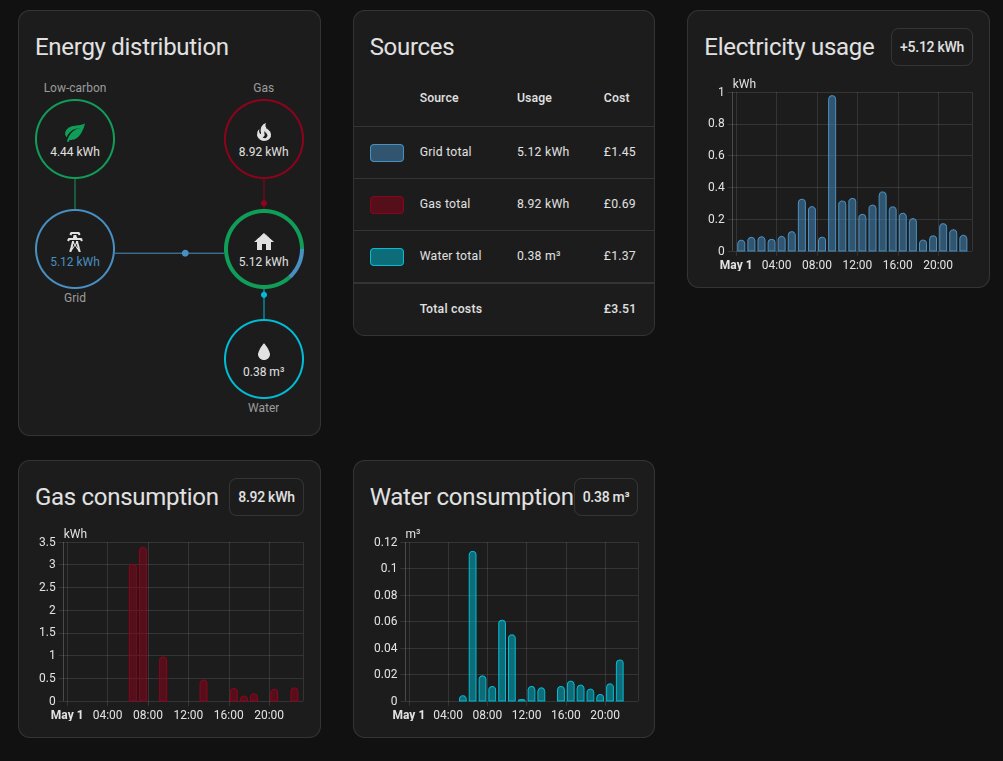
Enter the Hildebrand Glow IHD. This is a third-party IHD designed to be compatible with a wide range of smart meters, including SMETS2. It connects to the meter using the Zigbee Smart Energy profile, then lets you connect the device to Wi-Fi for cloud access or local access via MQTT. I went with MQTT to keep in line with my local-first approach, and it has been working great. I can now see current energy usage in Home Assistant, plus a full usage history.
Water Monitoring
The water meter I have is basic and doesn't have any form of connectivity. It is instead fitted with a Compteur Bague Grise (Grey Ring Meter). This device sits on top of the water meter and has a light sensor that detects dial rotation. It then broadcasts the current reading on 868/433/169 MHz (depending on the model) using WM-Bus.
There is a custom add-on called WMBusMeters (WM-Bus to MQTT). It needs a bit of configuration to narrow messages down to your specific water meter, but once done it automatically pulls in data and makes it available in Home Assistant. This flows directly into the HA Energy dashboard, allowing you to get a full view of energy and water usage in one place.
Home Assistant's Energy Dashboard
Central Heating
Upgrading to Tado V3 TRVs was a game-changer for my home. Moving from a single central thermostat to granular, room-by-room control is easily the best home automation investment I've made for both comfort and energy savings.
That said, I’ve fallen out of love with Tado. The hardware itself is great, but the reliance on a constant cloud connection means your schedules break the moment the internet drops. I have a stable internet connection, but early hiccups meant waking up to a freezing house or finding the heating running hours past its schedule. Supposedly, newer models have fixed this, but Tado's feature shift toward subscriptions has left a bad taste. I’ll most likely be moving away from the system soon.
HACS
I've mentioned two custom integrations that I use, but there are many more available through the Home Assistant Community Store (HACS). This is a third-party add-on that allows you to easily browse and install custom integrations, themes, and plugins created by the community. It has been a great way to extend the functionality of Home Assistant without needing to write custom code.
What the future holds
My next plan is to replace the TRVs with SONOFF Zigbee ones. This will move schedules and controls fully into Home Assistant, operating locally with no cloud dependency. It’ll involve replacing the Tado boiler controller with a Zigbee relay, which I'll document here when I get started.
Final Thoughts
I’m really happy with where the setup is. It has made life easier without becoming a burden. If you are starting out, I’d highly recommend Home Assistant OS and the setup I'm running.
I'll probably write up some follow up posts splitting out some of the sections here into more detailed guides, so if there is anything you would like to see covered in more depth, please let me know.